





# standard python imports
import matplotlib.pylab as plt
import numpy as np

# tidy3D import
import tidy3d as td
import tidy3d.web as web
from tidy3d.constants import C_0
TIDY3D
LEARNING CENTER
Example Library

Using `ModeSimulation` for optical mode analysis
This tutorial shows how to use ModeSimulation in Tidy3D.
For a tutorial on the legacy ModeSolver plugin, please refer to this notebook.
Setup
We first set up the mode simulation with information about our system. We start by setting the parameters.
# size of simulation domain
Lx, Ly, Lz = 6, 6, 6
dl = 0.05

# waveguide information
wg_width = 1.5
wg_height = 1.0
wg_permittivity = 4.0

# central frequency
wvl_um = 2.0
freq0 = C_0 / wvl_um
fwidth = freq0 / 3

# run_time in ps
run_time = 1e-12

# automatic grid specification
grid_spec = td.GridSpec.auto(min_steps_per_wvl=20, wavelength=wvl_um)
We then define a Simulation, in this case including a straight waveguide and periodic boundary conditions. Note that Tidy3D warns us that we have not added any sources to the Simulation object. However, for mode solving, this is not necessary.
waveguide = td.Structure(
    geometry=td.Box(size=(wg_width, td.inf, wg_height)),
    medium=td.Medium(permittivity=wg_permittivity),
)

sim = td.Simulation(
    size=(Lx, Ly, Lz),
    grid_spec=grid_spec,
    structures=[waveguide],
    run_time=run_time,
    boundary_spec=td.BoundarySpec.all_sides(boundary=td.Periodic()),
)

ax = sim.plot(y=0)
plt.show()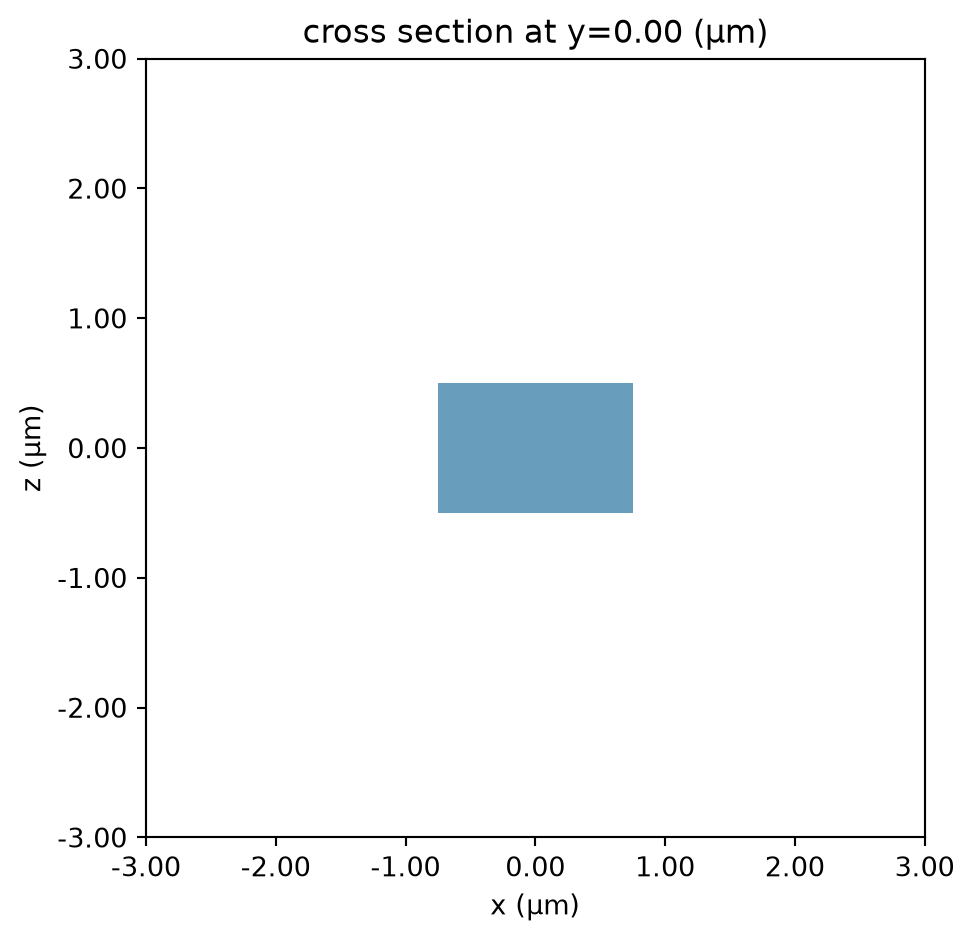
Initialize Mode Simulation
With our system defined, we can now create our mode simulation. We first need to specify the plane on which we want to solve the modes using a td.Box() object.
plane = td.Box(center=(0, 0, 0), size=(4, 0, 3.5))The mode simulation can now compute the modes given a ModeSpec object that specifies everything about the modes we are looking for, for example:
-
num_modes: how many modes to compute. -
target_neff: float, default =None, initial guess for the effective index of the mode; if not specified, the modes with the largest real part of the effective index are computed.
The full list of specification parameters can be found here.
mode_spec = td.ModeSpec(
    num_modes=3,
    target_neff=2.0,
)
We can also specify a list of frequencies at which to solve for the modes.
num_freqs = 11
f0_ind = num_freqs // 2
freqs = np.linspace(freq0 - fwidth / 2, freq0 + fwidth / 2, num_freqs)
Finally, we can initialize the ModeSimulation and call the local run method.
mode_simulation = td.ModeSimulation.from_simulation(
    simulation=sim,
    plane=plane,
    mode_spec=mode_spec,
    freqs=freqs,
)
sim_data = mode_simulation.run_local()
mode_data = sim_data.modes
We can also summarize useful mode information using to_dataframe(). Note that the group index was not computed; this can be included by setting group_index_step=True in the ModeSpec.
mode_data.to_dataframe()

 TERMS & CONDITIONS


 How the process works:
 Try this real URL to see an example: